Effects Remover
A tool to mod NIKKE bundles. Thanks to Bingle, Danieru and Chizuru for the help.
👉 DOWNLOAD HERE 👈
Usage with a premade list:
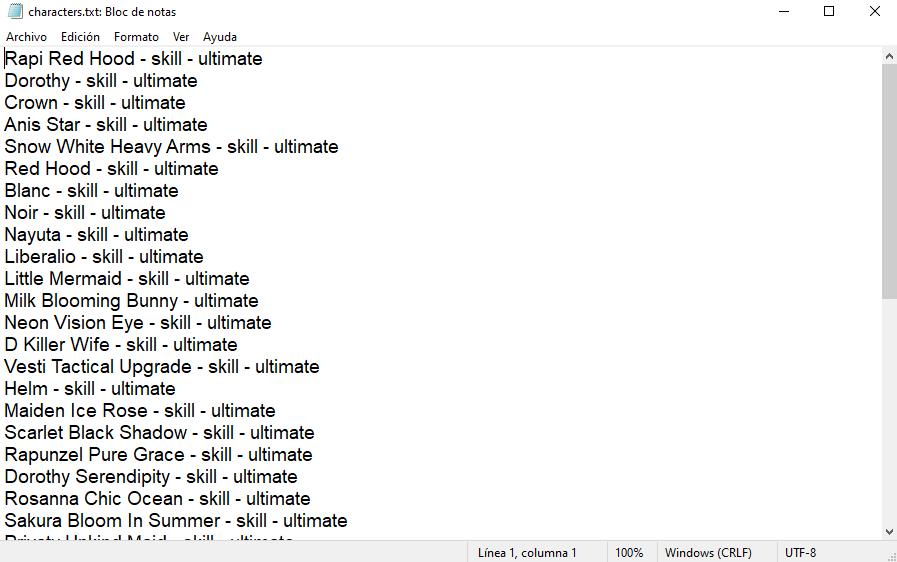
- Create a text file
characters.txtin the folderPreMadeList. - On the example above the structure is like this:
'Character Name' - 'type of effect to be removed' - 'type of effect to be removed'
So if you want to remove only skill effects then write something like:
Crown - skill
If you want to remove burst effects write:
Crown - ultimate
And if you want to remove both:
Crown - skill - ultimate
- Double-click on
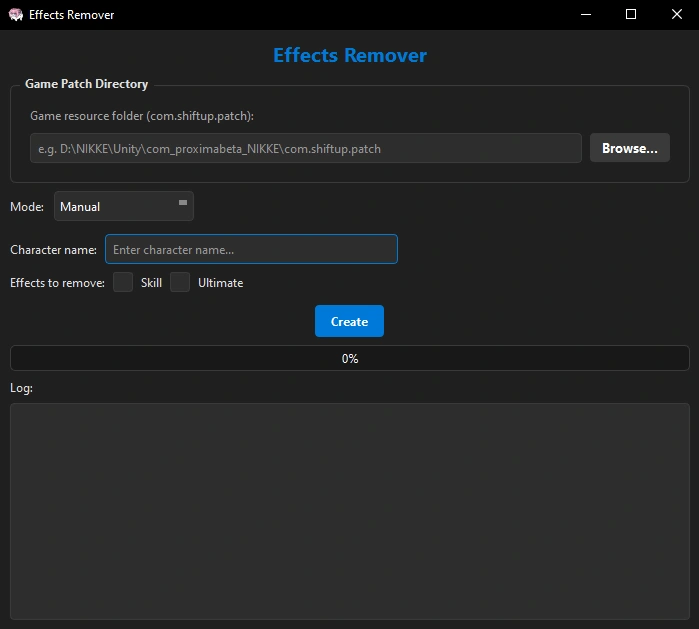
EffectsRemover.exe. - Select Mode > Automatic (from list).
- Click on Create.
- Go to the folder
Repackedand move the files to your NMM.../mods/folder, or to Chizuru NMM.../mods/otherfolder. - Activate the mods.
Usage manually:
- Double-click on
EffectsRemover.exe. - Select Mode > Manual.
- Input the character name.
- Select if you want to remove skill effects, ultimate effects, or both.
- Click on Create.
- Go to the folder
Repackedand move the files to your NMM.../mods/folder, or to Chizuru NMM.../mods/otherfolder. - Activate the mods.
Skip list:
There is a file named "skip_list.json" in the folder Skip, that file is useful if you want to keep some specific effects.
You need to open that file with Notepad++, open the file "effects_skills.json" from the folder AddressablesJSON as well, and copy&paste the effects you want to keep.


How to update your Skip List:
You can update your file "skip_list.json" with UpdateSkipList.exe, first update your "effects_skills.json" from dorotools data and then run UpdateSkipList.exe to update your "skip_list.json".
After game patch on September 3:
The main change on this tool is that the files are saved all together in the folder Repacked. NLBMM is discontinued now because it's obsolete, so you can apply the mods created with this tool using any of the NMM variants.
- Danieru NMM: move the files from
Repackedto yourmodsfolder and apply. - Na0h NMM (paid variants): move the files from
Repackedto yourmods/extrasfolder and apply. - Chizuru NMM: move the files from
Repackedto yourmods/otherfolder and apply.
Happy modding! ^‿^